

Word to Google Forms
Convert Word to Google Forms
Upload your .docx file and Formswrite reads the structure - numbered lists, table grids, headings, bold prompts - then builds a ready-to-edit Google Form. No Google Docs step, no copy-paste, no add-on to install.

How it works?
Turn a Word document into a Google Form in three steps. Upload the .docx, let the AI map the formatting, then export - no intermediate tools required.
Step 1
Upload your Word document
Drop in your .docx file directly - no Google Docs step, no copy-paste. Formswrite reads the document structure, including headings, lists, tables, and bold text, automatically.
Step 2
AI maps formatting to form fields
The converter reads heading levels, numbered lists, table grids, and bold prompts, then maps each to the matching Google Forms question type. Tracked changes are resolved to the visible text before extraction.
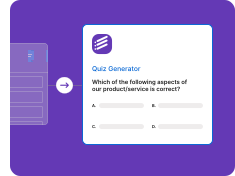
Step 3
Review and export to Google Forms
Preview the extracted questions, edit any that need a tweak, then export to Google Forms as a live editable form in your Drive on a paid plan, or keep the free Formswrite form at no cost.

What survives a Word to Google Form conversion
Word formatting is rich and varied. Here is exactly which elements map cleanly to Google Forms fields and which ones need a quick review pass after conversion.
| Word element | Result in Google Forms |
|---|---|
| Numbered or lettered lists (1. / a. / A.) | Auto-detected as multiple choice options |
| Section headings (Heading 1 / Heading 2) | Mapped to Google Forms section breaks |
| Bold question prompts | Flagged as required fields |
| Short-answer prompts | Short answer or paragraph field |
| Bulleted checkbox lists | Checkbox question type |
| Word table grids (row labels + column headers) | Grid question type |
| Inline comments or answer-key annotations | Parsed for answer key where possible |
| Tracked-changes markup (Accept/Reject pending) | Visible text extracted, review advised |
| Embedded macros or VBA code | Ignored - questions still extracted from text |
| SmartArt and diagram objects | Skipped - add a description manually |
| Equation Editor objects (OMML) | Flagged for manual review |
Before and after
How a typical Word quiz section looks before upload and what Google Form fields it produces.
Section 1: Photosynthesis
1. Where does photosynthesis primarily occur?
a) Root cells b) Leaf chloroplasts c) Stem vessels d) Seed coat
2. Sunlight, water, and CO2 are all required inputs. (True / False)
3. Describe the light-dependent reactions in your own words.
Section break - titled Photosynthesis (from Heading 1)
Q1 Multiple choice - 4 options, answer key markable
Q2 Multiple choice - True / False
Q3 Paragraph (long answer) - marked required because it was bold
Every kind of Word document
Quiz and assessment documents
Upload a .docx quiz with numbered questions and lettered answer choices. Formswrite reads the structure and rebuilds each question as a multiple-choice or short-answer field.
Quizzes- Numbered questions detected
- Lettered options become choices
- Answer-key comments parsed
- Required-field markers honored
- No copy-paste step
Surveys and feedback forms
Convert a Word survey - rating scales, open-ended prompts, and checkbox lists - into a live Google Form in one upload. Section headings in the document become Google Forms sections.
Surveys- Heading-to-section mapping
- Rating scales preserved
- Open prompts become paragraphs
- Checkbox lists auto-detected
- Multi-page layout supported
Training and onboarding checklists
Turn a Word onboarding checklist or knowledge-check document into an interactive Google Form your team or students can fill in directly - without you retyping a single question.
Checklists- Table-grid questions mapped
- Bold prompts flagged as required
- Consistent formatting preserved
- Multi-section documents handled
- Direct .docx upload
Working with a large multi-section document? Formswrite handles multi-page .docx files and keeps your heading hierarchy intact as Google Forms section breaks, so respondents navigate the same logical flow your document had.
Frequently asked questions
How do I convert a Word document to a Google Form?
Upload your .docx file to Formswrite. The AI reads the document structure - headings, numbered lists, tables, bold prompts - and rebuilds each question as a Google Form field. Review the result and export to Google Forms in your Drive on a paid plan, or keep the free Formswrite form at no cost. There is no Google Docs step and no copy-paste.
Do I need to convert my Word file to Google Docs first?
No. Formswrite accepts .docx files directly. You upload the file, the AI reads it, and the form is ready. You never need to open Google Docs, paste text, or install a Workspace add-on.
How do numbered lists and tables in Word get converted?
Numbered or lettered lists (1. 2. 3. or a. b. c.) are auto-detected as multiple-choice options. Word table grids - where rows are items and columns are rating levels - map to Google Forms grid questions. Section headings (Heading 1 or Heading 2) become section breaks in the form.
What happens to tracked changes in my Word document?
Formswrite extracts the visible accepted text. Pending tracked-changes markup - insertions and deletions still shown in red or green - can cause mixed text to appear in a question. Accept or reject all tracked changes in Word before uploading for the cleanest result.
Is there a free way to convert a Word document to a Google Form?
You can start for free. The native Formswrite form and the flashcard export are free, so you can upload a Word document and see the extracted questions at no cost. Exporting the result to Google Forms is available on a paid plan.
What Word elements cannot be converted to a Google Form?
SmartArt diagrams, Word equation objects (OMML), and embedded macros do not have a Google Forms equivalent. Formswrite flags these so you can add a text description or image manually. All surrounding question text is still extracted normally.
Related conversions
Simple, Transparent Pricing
Start for free. Upgrade anytime.
Yearly
✨ Save 70%
Payment will be processed in USD, EUR, SGD, BRL, JPY, or INR.
Free
Get started free with 5 forms
Free
No credit card required.

5 Formswrite Forms
AI Builder (Fred AI)
10 AI questions per month
Browse Question Bank
Best Value
Pro
Unlimited everything, no limits
$49.99
/yearCancel anytime.
Everything in Free, plus:
Unlimited conversions
All 25+ export formats
Unlimited AI questions
Unlimited AI Lesson Plans
Unlimited AI Rubrics
Unlimited AI Worksheets
Flashcards
Presentation Decks
AI Video Lessons
Audio Lessons
Comics
Podcasts
Formswrite Play (Gamify Quizzes)
YouTube Video to Quiz
Bulk convert
Priority support
Lifetime
Pay once, use forever
$149
one-timeOne-time payment. No recurring fees.
Everything in Pro
Flashcards
Presentation Decks
AI Video Lessons
Audio Lessons
Comics
Podcasts
Formswrite Play (Gamify Quizzes)
YouTube Video to Quiz
One-time payment
Lifetime access to all features
All future updates included
Priority support forever