

Google Docs to Google Forms
Convert Google Docs to Google Forms
Paste your Google Doc link and Formswrite builds a ready-to-edit Google Form. Numbered question lists become form fields, Doc headings become sections, and marked correct answers become the quiz key - all in one pass.

How it works?
Three steps from Google Doc to live Google Form. Paste a link, review the questions, export.
Step 1
Paste your Google Doc link
Copy the share link from your Google Doc and paste it into Formswrite. There is nothing to install, no add-on to authorize, and no file to download first.
Step 2
AI maps questions and structure
Formswrite reads the Doc content, identifies each question, detects the answer options, maps headings to form sections, and carries across any marked correct answers as a quiz key.
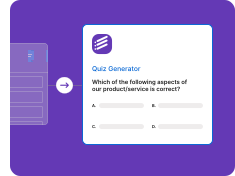
Step 3
Review and export to Google Forms
Check the extracted questions in the Formswrite editor, make any quick edits, then export to Google Forms as a live, editable form saved directly in your Google Drive.

What survives a Google Doc to Google Form conversion
Most structured content in a Google Doc converts cleanly. A few elements need a quick review. Here is exactly what to expect before you start.
| Google Doc element | Result in Google Forms |
|---|---|
| Numbered question lists (1. 2. 3.) | Each item becomes a separate question |
| Lettered or bulleted answer options (a) b) c)) | Multiple choice options auto-detected |
| H1 / H2 headings in the Doc | Map to Google Form section breaks |
| Short-answer and open-ended prompts | Short answer or paragraph field |
| Checkbox "select all that apply" items | Checkboxes question type |
| True / False pairs | Multiple choice with two options |
| Marked correct answers (* or bold) | Quiz answer key in Google Forms |
| Tables inside the Doc | May need manual review - not a native form field |
| Footnotes and endnotes | Stripped - not transferred to the form |
| Embedded images inside the Doc | Flagged for manual review |
| Multi-column page layouts | Reading order may need a quick check |
Before and after
How a typical teacher quiz written in Google Docs becomes Google Form fields.
Unit 3 Quiz - The Water Cycle
1. What process turns liquid water into water vapor?
a) Condensation b) Evaporation* c) Precipitation d) Runoff
2. Clouds form during which stage? (short answer)
3. The water cycle is a closed system. (True / False*)
Section 2 - Atmosphere
4. Which layer holds most of the atmosphere mass?
a) Stratosphere b) Mesosphere c) Troposphere* d) Thermosphere
Form title: Unit 3 Quiz - The Water Cycle
Q1 Multiple choice - 4 options, Evaporation set as answer key
Q2 Short answer field - open response
Q3 Multiple choice - True / False, True set as answer key
Section break: Atmosphere
Q4 Multiple choice - 4 options, Troposphere set as answer key
The asterisk (*) marks are one common pattern Formswrite recognises as correct-answer indicators. Bold text, parenthetical notes, and inline labels like (correct) are also detected.
Who uses the Google Docs to Google Forms converter
Teacher worksheets and assessments
Paste the link to a Google Doc quiz or worksheet and Formswrite reads every question, maps multiple choice options, and builds a ready-to-assign Google Form quiz with the answer key.
Education- Numbered question lists detected
- Multiple choice options mapped
- Answer key preserved as quiz key
- Section headings become form sections
- No add-on or install needed
HR and operations forms
Convert an intake questionnaire, survey draft, or checklist written in Google Docs into a live Google Form in seconds - no copy-pasting question by question.
Business- Short-answer and paragraph fields detected
- Checkbox lists converted correctly
- Required fields flagged
- Long survey docs handled in one pass
- Editable result in your Drive
Training and onboarding content
Turn a training module written as a Google Doc into a knowledge-check Google Form. Formswrite extracts the questions and maps the right field type for each one.
L&D- True/False pairs detected
- Rating scale prompts mapped to linear scale
- Dropdown lists preserved
- Section structure maintained
- Works on long multi-section docs
Whether you write your questions in Docs because it is faster to collaborate, because a colleague drafted them, or because you have years of archived content to reuse - Formswrite gives you a direct path from that Doc to a shareable Google Form without retyping a single question.
Frequently asked questions
How do I convert a Google Doc to a Google Form?
Paste your Google Doc share link into Formswrite. The AI reads the document, extracts each question and its answer options, maps headings to form sections, and rebuilds everything as a Google Form in your Drive. There is no add-on to install and no file to download - just paste the link and review the result.
Can I convert any doc to a Google Form, or only Google Docs?
Any doc. This page covers Google Docs, but Formswrite converts Word documents (.doc and .docx), PDFs, and scanned files to Google Forms the same way - upload the doc, and the AI rebuilds it as an editable Google Form with questions, options, and answer keys intact.
Do I need a Google Workspace add-on?
No. Formswrite is a standalone web app. You paste the Doc link, the conversion runs in the cloud, and the finished Google Form is pushed to your Drive. There is nothing to install in Google Docs or Google Forms.
Will my answer key carry over from the Google Doc?
Yes. If you mark correct answers in your Doc - for example with an asterisk, bold text, or a note like "(correct)" - Formswrite detects them and sets them as the quiz answer key in Google Forms. Review the key in the Formswrite editor before exporting to confirm accuracy.
What happens to headings and sections in my Doc?
Heading 1 and Heading 2 styles in your Google Doc map to section breaks in the Google Form, so a multi-part worksheet or multi-topic quiz keeps its structure after conversion. Plain body text before questions is carried across as section descriptions.
Is there a free way to convert a Google Doc to a Google Form?
You can start for free. The native Formswrite form and the flashcard export are free, so you can paste a Doc link and see all the extracted questions at no cost. Exporting the result to Google Forms is available on a paid plan.
What parts of a Google Doc need manual review after conversion?
Tables, footnotes, embedded images, and multi-column page layouts are the most common items to check. Tables are not a native Google Forms field type, so the AI may split them into individual questions - verify the reading order. Footnotes are stripped. Images inside the Doc are flagged for you to add manually.
Related conversions
Simple, Transparent Pricing
Start for free. Upgrade anytime.
Yearly
✨ Save 70%
Payment will be processed in USD, EUR, SGD, BRL, JPY, or INR.
Free
Get started free with 5 forms
Free
No credit card required.

5 Formswrite Forms
AI Builder (Fred AI)
10 AI questions per month
Browse Question Bank
Best Value
Pro
Unlimited everything, no limits
$49.99
/yearCancel anytime.
Everything in Free, plus:
Unlimited conversions
All 25+ export formats
Unlimited AI questions
Unlimited AI Lesson Plans
Unlimited AI Rubrics
Unlimited AI Worksheets
Flashcards
Presentation Decks
AI Video Lessons
Audio Lessons
Comics
Podcasts
Formswrite Play (Gamify Quizzes)
YouTube Video to Quiz
Bulk convert
Priority support
Lifetime
Pay once, use forever
$149
one-timeOne-time payment. No recurring fees.
Everything in Pro
Flashcards
Presentation Decks
AI Video Lessons
Audio Lessons
Comics
Podcasts
Formswrite Play (Gamify Quizzes)
YouTube Video to Quiz
One-time payment
Lifetime access to all features
All future updates included
Priority support forever