

Google Form Kaise Banaye - AI Se
Google Form Kaise Banaye: AI Se 30 Second Mein
Koi bhi document upload kijiye - PDF, Word, ya Google Docs - AI automatic form bana degi answer key ke saath. Multiple choice, true/false, short answer - sab support. Scanned PDF ke liye OCR built-in. Neeche Google Forms mein manually form banane ka pura tarika bhi hai.
Free start
Koi credit card nahi
OCR included

41,000+
Teachers Globally
2M+
Forms Generate Hue
25+
Export Platforms
30 sec
Document → Form
How it works?
Document upload se Google Form taiyaar hone tak - 60 second se kam mein.
Step 1
Apna Document Upload Kijiye
PDF, Word, ya Google Docs drag karke chhod dijiye - apni class ki notes, textbook chapter, NCERT solutions, ya pichle saal ka question paper. Formswrite digital aur scanned PDFs dono accept karta hai (OCR built-in hai).

Step 2
AI Google Form Banati Hai
AI content padhti hai, important concepts identify karti hai, aur questions likh deti hai - multiple choice, true/false, short answer, fill-in-the-blank - sab automatically answer key ke saath.
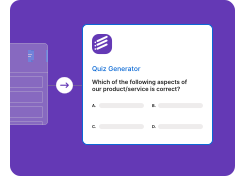
Step 3
Google Forms Mein Export Kijiye
Generate hua form ek click mein aapke Google Forms account mein chala jata hai - answer key, points, required questions ke saath. Phir WhatsApp, Google Classroom, ya direct link se students ke saath share kijiye.
Kisi Bhi Document Se Google Form Banayein
PDF, Word, Google Docs, ya plain text - AI sab formats handle karti hai jo Indian teachers use karte hain.
PDF se Google Form
Koi bhi PDF upload kijiye - textbook, notes, ya scanned worksheet - aur Formswrite AI 30 second mein Google Form bana dega.
• Scanned PDF ke liye OCR
• Multi-page support
• Automatic question detect
• Images aur tables preserve
• Free mein shuru karein
Word se Google Form
.doc aur .docx files ko Google Form mein convert kijiye. Word mein questions likhe, Google Form mein deliver kijiye.
• .doc aur .docx support
• Headings se rounds banayein
• Bullet list parsing
• Bulk Word conversion
• Format preserve
Google Docs se Google Form
Google Docs mein content likhiye, ek click mein Google Form banaiye. Live sync, shared docs, sab kuch kaam karta hai.
• Direct Google Docs sync
• Shared docs ka support
• Live edit detection
• Comments preserve
• One-click pipeline
Topic ya Text se Google Form
Sirf topic ka naam likhiye (jaise "Photosynthesis" ya "Class 10 Algebra"), AI Google Form bana degi - questions aur answer key ke saath.
• Koi bhi text paste kijiye
• Topic-based generation
• Grade-level targeting
• Source document zaruri nahi
• Jaldi taiyaar form
Google Form Kaise Banaye: Manual Step-by-Step Tarika
Agar aapko sirf kuch questions ka form banana hai, to Google Forms mein seedha bhi bana sakte hain. Yeh raha pura tarika, computer aur mobile browser dono par same kaam karta hai:
- Google Forms kholiye: Browser mein forms.google.com kholiye aur apne Google account se login kijiye. Google Drive mein New, phir More, phir Google Forms se bhi shuru kar sakte hain.
- Blank form chuniye: "Blank form" par click kijiye. Ek naya khaali form khul jayega.
- Title aur description likhiye: "Untitled form" par click karke form ka naam likhiye, jaise "Class 8 Science Test", aur neeche chhota description ya instructions likhiye.
- Pehla question banaiye: Question box mein sawal likhiye aur right side ke dropdown se question type chuniye: Multiple choice, Checkboxes, Dropdown, Short answer ya Paragraph. Phir options likhiye.
- Aur questions jodiye: Right side toolbar mein "+" (Add question) icon dabakar naya question jodiye. Jo question zaroori hai uske liye "Required" toggle on kijiye.
- Quiz banana hai to answer key lagaiye: Settings tab mein "Make this a quiz" on kijiye. Phir har question ke neeche "Answer key" par click karke sahi jawab chuniye aur points daliye.
- Preview karke check kijiye: Upar aankh wale Preview icon par click karke dekhiye ki students ko form kaisa dikhega.
- Send karke share kijiye: "Send" button dabaiye, link icon chuniye, "Shorten URL" tick kijiye aur link copy karke WhatsApp, email ya Google Classroom par share kijiye.
- Responses dekhiye: Responses tab mein sabke jawab aur quiz scores dikhenge. "Link to Sheets" se saare responses Google Sheets mein bhi dekh sakte hain.
Step 4 se 6 mein sabse zyada time lagta hai, kyunki har question, har option aur har answer key alag se type karni padti hai. 20-30 questions ke test ke liye yahi kaam Formswrite AI aapke document se kar deti hai. Form ko class mein share karne ke liye Google Form ka QR code bhi bana sakte hain, aur puri jaankari ke liye Google Form kaise banaye ki puri guide padhiye.
Teachers Ke Liye Powerful Features
Jo bhi Google Forms mein manually banana padta tha, AI automatic kar deti hai.
AI Questions Likhti Hai
AI aapka document padhti hai, important concepts identify karti hai, aur questions automatic likh deti hai - answer key ke saath.
• CBSE/ICSE syllabus aligned
• Multiple choice auto-generate
• True/False questions
• Short answer
• Fill-in-the-blank
Direct Google Forms Export
Generate hua form ek click mein aapke Google Forms account mein chala jata hai - answer key, points, required questions ke saath.
• One-click Google Forms export
• Answer key preserve
• Points transfer
• Required questions
• Shuffle option
25+ Platforms ka Support
Google Forms ke alawa Moodle, Wayground (Quizizz), Kahoot, Blooket, Canvas LMS aur 20+ platforms par export kar sakte hain.
• Moodle aur Canvas
• Wayground (Quizizz) aur Blooket
• Kahoot aur Gimkit
• QTI, GIFT aur Aiken
• 25+ destinations
Free Mein Shuru Kijiye
Credit card ki zarurat nahi. Free plan se shuru kijiye, aur Google Forms export ke liye paid plan lijiye.
• Free plan se shuruaat
• Koi credit card nahi
• Formswrite form aur flashcards free
• Google Forms export paid plans par
• Kabhi bhi cancel karein
Indian Educators Ke Liye
School teachers se lekar competitive exam coaching tak - Formswrite har scenario mein useful hai.
School Teachers ke Liye
Class tests, term exams, aur worksheets seconds mein banayein. CBSE, ICSE, State Board - har syllabus ke saath kaam karta hai.
• Class 1 se 12 tak
• CBSE / ICSE / State syllabus
• Bulk Google Forms generation
• WhatsApp share-ready links
• Auto-grading
Coaching aur Tuition ke Liye
JEE, NEET, UPSC, banking exams ke liye mock tests banayein. PDF question banks ko Google Forms mein convert kijiye.
• JEE / NEET mock tests
• UPSC test series
• Bank exam quizzes
• PDF question bank ingest
• Bulk simulation
“Pehle main har Friday ko ghar par baith kar 1-1 question Google Forms mein type karti thi. Formswrite use karne ke baad, PDF upload kiya, 30 second mein form ready, WhatsApp pe bhej diya. Mera weekend wapas mil gaya.”
Priya Sharma
Class 9 Science Teacher, Delhi
Google Forms Mein Manually Type Karna Band Kijiye
Document upload kijiye, AI form bana degi. Free mein shuru kijiye - credit card ki zarurat nahi.
Free start
Koi card nahi
OCR included
Google Form Kaise Banaye AI Se - Step by Step Guide
Google Form manually banane mein har test ke liye kaafi time lag jaata hai. Formswrite ke saath document (PDF, Word ya Google Docs) upload kijiye, AI content padhti hai, aur form jaldi taiyaar ho jata hai - answer key, points, aur required questions ke saath. Phir Google Forms account mein export karke WhatsApp, Google Classroom, ya direct link se students ko bhej dijiye.
Indian Teachers Formswrite Kyun Use Karte Hain
CBSE, ICSE, aur State Board ke teachers ke liye Formswrite class tests aur term exams banane ka aasaan tool hai. JEE, NEET, UPSC ke coaching institutes apne PDF question banks ko Google Forms mein convert karne ke liye Formswrite use karte hain. Hindi medium teachers ke liye special: aap Hindi document upload karke Hindi form bana sakte hain, ya English document upload karke Hindi mein form generate kar sakte hain.
Free Plan: Kya Milta Hai
Formswrite free plan se shuru hota hai - koi credit card nahi. Free plan mein AI se form banana, use edit karna, aur Formswrite ka apna form aur flashcards share karna shamil hai. Google Forms mein export, aur Moodle, Canvas, Kahoot jaise 25+ platforms par export, paid plans mein milta hai. Schools, colleges, aur coaching institutes ke liye paid plans higher volume bhi dete hain.
Google Classroom Aur LMS Compatibility
Formswrite se export hue Google Forms Google Classroom ke saath kaam karte hain - bus link copy karke assignment mein paste kar dijiye. Quiz mode on hone par auto-grading aur scores Google Forms mein hi mil jaate hain. Moodle, Canvas, aur dusre LMS ke liye bhi direct export options available hain.
Aksar Puche Jaane Wale Sawal
Google Form kaise banaye AI se?
Formswrite par koi bhi document (PDF, Word, ya Google Docs) upload kijiye. AI document padhti hai, important questions identify karti hai, aur form taiyaar kar deti hai - answer key, points, aur required questions ke saath. Paid plan par ise ek click mein aapke Google Forms account mein export kar sakte hain.
Google Form manually kaise banaye?
forms.google.com kholiye, "Blank form" chuniye, title likhiye, "+" icon se questions jodiye aur har question ka type chuniye. Quiz ke liye Settings mein "Make this a quiz" on karke Answer key lagaiye. Aakhir mein "Send" dabakar link share kijiye.
Kya Formswrite free hai Google Form banane ke liye?
Formswrite free plan se shuru hota hai, credit card ki zarurat nahi. Free plan mein Formswrite ka apna form aur flashcards milte hain. Google Forms mein export, aur Moodle, Canvas, Kahoot jaise dusre platforms par export, paid plans ka hissa hai.
PDF se Google Form kaise banaye?
Apna PDF (textbook chapter, NCERT solution, question paper, ya scanned worksheet) Formswrite par upload kijiye. AI text extract karti hai (scanned PDFs ke liye OCR built-in hai), questions identify karti hai, aur form bana deti hai jise aap Google Forms mein export kar sakte hain.
Word document se Google Form kaise banaye?
Apni .doc ya .docx file Formswrite par upload kijiye. AI formatting samajhti hai, headings detect karti hai, aur questions ka form generate karti hai. Phir use Google Forms account mein export kijiye.
Google Form mein answer key kaise lagaye?
Form ke Settings tab mein "Make this a quiz" on kijiye. Phir kisi bhi question par click karke neeche "Answer key" chuniye, sahi option select kijiye, points daliye aur "Done" dabaiye. Formswrite se bane quiz mein answer key pehle se bhari hoti hai.
Google Form ka link kaise share kare?
Form ke upar "Send" button dabaiye, link wala icon chuniye, "Shorten URL" tick karke "Copy" kijiye. Yeh link WhatsApp group, email ya Google Classroom assignment mein paste kar dijiye. QR code bhi bana sakte hain taaki students scan karke form khol sakein.
Mobile par Google Form kaise banaye?
Formswrite browser-based hai, isliye Android ya iPhone par direct kaam karta hai - app install karne ki zarurat nahi. Mobile par PDF ya document upload kijiye, AI form generate karegi, aur aap WhatsApp ya email se students ke saath share kar sakte hain.
Kya Formswrite Hindi mein Google Form banata hai?
Haan. Formswrite Hindi sahit 12+ languages mein forms generate karta hai. Aap English document upload karke Hindi form generate kar sakte hain, ya Hindi document upload karke Hindi form bana sakte hain. CBSE, ICSE, ya State board ke Hindi medium teachers ke liye kaafi useful hai.
Aur Guides Padhiye
- Google Form kaise banaye: puri guide - Formswrite ke saath shuru se aakhir tak.
- Google Form ka QR code kaise banaye - class mein scan karke form kholne ke liye.
- Google Form kaise banaye - shuruaati teachers ke liye aasaan guide.
Simple, Transparent Pricing
Start for free. Upgrade anytime.
Yearly
✨ Save 70%
Payment will be processed in USD, EUR, SGD, BRL, JPY, or INR.
Free
Get started free with 5 forms
Free
No credit card required.

5 Formswrite Forms
AI Builder (Fred AI)
10 AI questions per month
Browse Question Bank
Best Value
Pro
Unlimited everything, no limits
$79
/yearCancel anytime.
Everything in Free, plus:
Unlimited conversions
All 25+ export formats
Unlimited AI questions
Unlimited AI Lesson Plans
Unlimited AI Rubrics
Unlimited AI Worksheets
Flashcards
Presentation Decks
AI Video Lessons
Audio Lessons
Comics
Podcasts
Formswrite Play (Gamify Quizzes)
YouTube Video to Quiz
Bulk convert
Priority support
Lifetime
Pay once, use forever
$199
one-timeOne-time payment. No recurring fees.
Everything in Pro
Flashcards
Presentation Decks
AI Video Lessons
Audio Lessons
Comics
Podcasts
Formswrite Play (Gamify Quizzes)
YouTube Video to Quiz
One-time payment
Lifetime access to all features
All future updates included
Priority support forever