

AI Google Form Builder
The AI Google Form Builder for Teachers & Trainers
Drop in a PDF, Word doc, or Google Doc - the AI Google Form builder generates a complete native Google Form in 30 seconds. All question types, answer keys included, direct export to your Google account. Free for 75 forms per month.
75 free forms/month
No credit card
Native Google Forms output

41,000+
Teachers Using Formswrite
2M+
Google Forms Generated
4.9/5
Average Rating
30 sec
Document → Google Form
How it works?
From source document to working Google Form - in under a minute.
Step 1
Upload Your Source
Drop in a PDF, Word doc, Google Doc, or paste text directly. The AI Google Form builder accepts every format teachers and trainers actually use - including scanned PDFs (OCR built in).

Step 2
AI Builds The Google Form
The AI reads the content, identifies questions, infers Google Forms question types (multiple choice, short answer, etc.), writes answer choices, marks the correct answer, and assigns point values automatically.
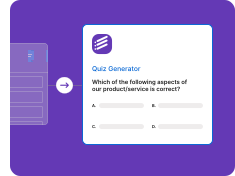
Step 3
Export to Your Google Forms Account
One-click export pushes the generated form to your Google Forms library - fully formatted, answer keys preserved. Edit further in Google Forms if needed, then share with your class via Google Classroom or link.
Every Source, Every Google Form
PDF, Word, Google Docs, plain text - the AI Google Form builder handles every input format teachers and trainers use.
AI Form Builder for PDF
Upload any PDF and the AI Google Form builder generates a complete form - with question types, answer choices, and gabarit auto-detected.
• Built-in OCR for scanned PDFs
• Multi-page detection
• Image preservation
• Auto question-type inference
• Direct Google Forms export
AI Form Builder for Word
Build Google Forms from .doc and .docx files. The AI form builder reads headings, lists, and formatting automatically.
• .doc and .docx support
• Heading detection
• Bullet → multiple choice
• Bulk Word conversion
• Format preservation
AI Form Builder for Google Docs
Sync directly with Google Docs. Write in Docs, the AI builds the Google Form - no copy-paste needed.
• Live Google Docs sync
• Shared doc support
• Version-history aware
• One-click pipeline
• No download required
AI Form Builder for Text & Topics
No source document? Type a topic or paste raw text - the AI Google Form builder generates the entire form.
• Topic-based form generation
• Paste any text
• Grade-level targeting
• Tone customization
• Instant form output
Built for Real Google Forms Workflows
All Google Forms question types, native export, AI chat editing - everything you need to ship a quality form in 60 seconds.
Native Google Forms Export
Push the AI-built form directly into your Google account - gabarit, points, required questions, and shuffle settings preserved.
• Direct Google Forms account export
• Answer keys transferred
• Point values per question
• Required-question flags
• Shuffle questions / options
All Google Forms Question Types
Multiple choice, checkbox, dropdown, short answer, paragraph, date, time, scale, grid - every Google Forms type, AI-generated.
• Multiple choice / checkbox
• Short answer / paragraph
• Linear scale + grid
• Date / time pickers
• File upload questions
AI Edit Chat
Built-in AI assistant lets you rewrite questions, add distractors, change difficulty, or translate the entire form by chatting.
• "Make this question harder"
• "Translate to Spanish"
• "Add 5 more options"
• Live preview while editing
• Undo / redo
Free Google Form Builder
No credit card. 75 free Google Forms per month. Includes all AI features, OCR, and direct export.
• 75 free forms / month
• No credit card required
• Full feature access
• No watermark
• Cancel anytime
Who Uses the AI Google Form Builder
41,000+ educators and trainers - K-12, university, coaching institutes, corporate L&D.
For Teachers & Schools
Build assessment Google Forms in seconds. Compatible with Google Classroom for instant assignment delivery.
• K-12 + university
• Google Classroom integration
• Bulk Google Form creation
• CBSE / ICSE / US standards aware
• Multi-class share-ready
For Trainers & Corporate Teams
Onboarding quizzes, compliance forms, training assessments - all as native Google Forms with answer keys.
• Compliance training
• Onboarding sequences
• Multi-language forms
• Auto answer keys
• Bulk delivery via link / QR
“I've tried Google Forms' native builder, three add-ons, and ChatGPT-paste workflows. None of them are even close to Formswrite. Drop in a PDF, hit Generate, get a real Google Form in my Drive. The whole grading workflow just collapsed from 90 minutes to 10.”
David Park
AP Biology Teacher, Washington State
Stop Typing Google Forms by Hand
Upload any document, let the AI build the Google Form, push to your account in one click. Free for 75 forms per month.
Free to start
No credit card
Direct Google Forms export
The Best AI Google Form Builder for Educators
Formswrite is the leading AI Google Form builder for teachers, professors, coaching institutes, and corporate trainers. Upload any source - PDF textbook chapter, Word exam paper, Google Doc lesson plan, or even just a text description of the topic - and the AI generates a complete native Google Form in under 30 seconds. The output is a real Google Form in your own Drive, ready to share with students via Google Classroom or direct link.
How the AI Google Form Builder Works
Most form builders ask you to type each question manually. Formswrite's AI reads your source document, identifies the questions that should become Google Forms questions, infers the correct question type (multiple choice, checkbox, short answer, paragraph, scale, etc.), writes plausible distractor answers for MCQs, marks the correct answer, and assigns point values. After review, one click pushes the entire form to your Google Forms account.
All Google Forms Question Types - AI Generated
The AI supports every Google Forms question type: short answer, paragraph, multiple choice, checkboxes, dropdown, file upload, linear scale, multiple choice grid, checkbox grid, date, and time. The AI infers which type fits each question automatically - but you can override before exporting.
Free AI Google Form Builder - What's Included
The free plan gives you 75 AI-generated Google Forms every month - enough for almost every teacher and most corporate trainers. Includes OCR for scanned PDFs, AI edit chat, direct Google Forms export, multi-language generation, and access to 25+ other export destinations (Microsoft Forms, Moodle, Canvas, Quizizz, Blooket, Kahoot, and more). No credit card. No watermarks. Cancel anytime.
AI Google Form Builder vs Native Google Forms
Google's native Forms editor is fine - for typing forms manually. Formswrite is the AI layer on top: same destination (a real Google Form in your Drive), but the building is automated. Think of it like Cursor vs Notepad for code, or DALL·E vs MS Paint for images. Native Google Forms still handles the responses, sharing, and grading - Formswrite just removes the typing.
Frequently Asked Questions
We have compiled a list of the most frequently asked questions. If you have any other questions, please contact us.
Formswrite makes it easy to convert your Google Docs into Google Forms. Simply write your quiz or assessment in Google Docs following our simple formatting guidelines, then use our one-click conversion to transform it into an interactive Google Form.
We support multiple choice questions (MCQ), true/false questions, open-ended questions, and more. Our system automatically detects the question type and formats it appropriately in Google Forms.
Formswrite is a productivity tool that helps educators and trainers convert their Google Docs into interactive Google Forms with just one click. Perfect for creating quizzes, assessments, and surveys quickly and efficiently.
Yes, any images in your Google Doc will be automatically included in your Google Form. Images are properly formatted and optimized for the best viewing experience.
We provide simple formatting guidelines that make it easy to structure your questions. You can use regular Google Docs formatting, and our system will automatically detect question types and convert them appropriately.
Yes, you can specify correct answers and assign point values to questions in your Google Doc. These will be automatically configured in the resulting Google Form.
Yes, you can organize your form into sections using headings in Google Docs. These will be converted into proper form sections in Google Forms.
You can convert up to 75 documents to forms per month on our basic plan. This is sufficient for most educators and small organizations.
Yes! Our bulk conversion feature allows you to convert multiple Google Docs to Forms simultaneously, saving you even more time.
Your forms will remain in your Google Drive and continue to work normally. Formswrite only handles the conversion process.
Yes, you can edit your forms directly in Google Forms after conversion. Any changes you make will be preserved.
Yes, Formswrite works with any Google Workspace account, including education accounts. We offer special pricing for educational institutions. Contact us to learn more.
Yes, we provide a variety of quiz and assessment templates to help you get started quickly. You can also save your own documents as templates for future use.
Want to learn more about Formswrite? Talk to our support
Simple, Transparent Pricing
Start for free. Upgrade anytime.
Yearly
✨ Save 70%
Payment will be processed in USD, EUR, SGD, BRL, JPY, or INR.
Free
Get started free with 5 forms
Free
No credit card required.

5 Formswrite Forms
AI Builder (Fred AI)
10 AI questions per month
Browse Question Bank
Best Value
Pro
Unlimited everything, no limits
$79
/yearCancel anytime.
Everything in Free, plus:
Unlimited conversions
All 25+ export formats
Unlimited AI questions
Unlimited AI Lesson Plans
Unlimited AI Rubrics
Unlimited AI Worksheets
Flashcards
Presentation Decks
AI Video Lessons
Audio Lessons
Comics
Podcasts
Formswrite Play (Gamify Quizzes)
YouTube Video to Quiz
Bulk convert
Priority support
Lifetime
Pay once, use forever
$199
one-timeOne-time payment. No recurring fees.
Everything in Pro
Flashcards
Presentation Decks
AI Video Lessons
Audio Lessons
Comics
Podcasts
Formswrite Play (Gamify Quizzes)
YouTube Video to Quiz
One-time payment
Lifetime access to all features
All future updates included
Priority support forever