

Free Google Forms Question Importer
Import Questions to Google Forms in Bulk
Drop in a CSV, Excel, Word, Google Doc, PDF, or paste a numbered list - Formswrite imports every question into a new Google Form in your Drive with the right type and answer key. Google Forms has no native bulk import; this is the missing feature.
Free to start
No credit card
Bulk 100+ questions

41,000+
Teams Using Formswrite
25M+
Questions Imported
500+
Questions Per Import
10 sec
Per 50 Questions
How it works?
From spreadsheet or doc to live Google Form with 100+ questions in seconds.
Step 1
Upload or Paste Your Questions
Drop a CSV, Excel, Word, Google Doc, or PDF - or just paste a numbered list of questions. Mixed formats work. Up to 500+ questions per import.

Step 2
AI Parses and Types Each Question
The importer reads each question, identifies the right Google Forms type (multiple choice, paragraph, dropdown, scale), and detects answer keys for quiz mode.
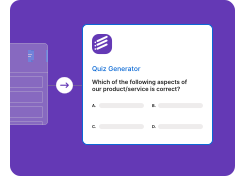
Step 3
Google Form Lives in Your Drive
The questions land in a new Google Form in your Drive - editable, shareable, ready to send. Quiz mode is on if answer keys were detected.

Every Source Format, Imported to Google Forms
CSV, Excel, Word, Google Doc, PDF, pasted text, and LMS question banks (QTI, Moodle XML, Quizlet).
Import from CSV or Excel
Drop in a CSV or .xlsx with one question per row - Formswrite imports them into Google Forms with answer choices and types preserved.
• CSV / .xlsx / Google Sheets
• One row = one question
• Type column auto-mapping
• Multiple choice options
• Bulk-import 100s of questions
Paste a List of Questions
Paste a numbered list of questions (with or without answer choices) and Formswrite parses + imports them as a Google Form.
• Numbered list detection
• A/B/C/D option parsing
• Answer key recognition
• Mixed-format questions
• No file required
Import from Word / Google Doc / PDF
Drop a quiz document and Formswrite extracts every question, imports them into a fresh Google Form.
• .docx / Google Doc / PDF
• Quiz answer keys
• Per-question images
• Section grouping
• Required-field flags
Import from Question Banks
Bring questions in from QTI, Moodle XML, Quizlet exports, or other LMS question banks - straight into Google Forms.
• QTI 1.2 / 2.1
• Moodle XML
• Quizlet export
• Canvas / Blackboard QTI
• Mixed bank merging
Built for Real Question-Import Workflows
Direct Google Drive import, AI type detection, answer-key + self-grading.
Direct Google Forms Import
Questions land directly in a Google Form in your Drive - no manual rebuild, no Apps Script.
• Lives in your Drive
• Editable in Google Forms
• Share link generated
• No download step
• No Apps Script needed
AI Type Detection
The importer reads your input and assigns the right Google Forms question type per question.
• Short answer vs paragraph
• Multiple choice vs checkbox
• Dropdown when many options
• Linear scale detection
• Date / time inference
Answer Keys + Self-Grading
Mark correct answers in your input (asterisk, "Answer: B", separate column) and Google Forms quiz mode turns on automatically.
• Answer-key column support
• Asterisked correct answers
• Per-question point values
• Self-grading enabled
• Quiz mode auto-toggled
Free Question Importer
No credit card. Import your first batches of questions free - full feature access.
• Free tier included
• No credit card
• No watermark
• Full feature access
• Cancel anytime
Who Imports Questions to Google Forms with Formswrite
From classroom teachers to research teams - 41,000+ teams use Formswrite every week.
For Teachers & Trainers
Import a CSV of 50 quiz questions in one upload - Google Form ready in seconds. Self-grading on by default.
• Bulk quiz import
• Answer-key column support
• Self-grading enabled
• Class-share links
• LMS-ready exports
For Surveys & Research
Bring survey questions from your research-team spreadsheet into Google Forms without retyping.
• Likert scales
• Conditional questions
• Randomized order
• Multi-section surveys
• Anonymous-response setup
“I keep my question bank in a single Google Sheet - 600 questions across 8 subjects. Formswrite let me filter by subject in the sheet, paste the rows in, and get a Google Form with the answer key pre-loaded for every quiz I needed. Saved my January planning week.”
Mariana Costa
High School Science Teacher, Lisbon
Stop Typing Questions Into Google Forms One at a Time
Upload, paste, or import - get a Google Form with 100s of questions in seconds. Free to start.
Free to start
No credit card
Bulk 100+ questions
How to Import Questions to Google Forms - the Missing Feature
Google Forms has no built-in bulk question importer. Every question has to be typed in manually, one by one. For a 50-question quiz, that's an hour of clicking. Formswrite fills the gap: upload a CSV, Excel, Word, Google Doc, PDF, or paste a numbered list, and every question lands in a new Google Form in your Drive - fully typed, with answer keys, in seconds.
How to Import Questions From a CSV or Excel File
Lay out one question per row. Columns: question text, type (multiple_choice, paragraph, short_answer, checkbox, dropdown, linear_scale, date, time, file_upload), options (pipe-separated), answer (for quiz mode), points. Formswrite reads the structure and imports every row as a Google Forms question. 500+ questions in one import is supported on free; higher volumes are paid-plan features.
How to Import Quiz Questions With Answer Keys
For quizzes, mark the correct answer one of three ways: (1) add an answer column to your spreadsheet, (2) prefix the correct option with an asterisk in your pasted list, or (3) write "Answer: B" after the question. Whenever the importer detects an answer key, Google Forms quiz mode turns on automatically with self-grading and your point values applied.
Import Questions From Word, Google Doc, or PDF
Already have your questions in a Word doc, Google Doc, or PDF? Drop the file in and the importer extracts every numbered question with its answer choices. Built-in OCR handles scanned PDFs. The same answer-key detection (asterisks, "Answer: B", separate key sections) works on doc imports.
Import Questions to Google Forms Free vs Paid
The free tier covers your first imports with no credit card. Paid plans unlock higher import volume, unlimited questions per Form, team workspaces, and question-bank library features. No watermarks, no question caps you would not expect.
Frequently Asked Questions
We have compiled a list of the most frequently asked questions. If you have any other questions, please contact us.
Formswrite makes it easy to convert your Google Docs into Google Forms. Simply write your quiz or assessment in Google Docs following our simple formatting guidelines, then use our one-click conversion to transform it into an interactive Google Form.
We support multiple choice questions (MCQ), true/false questions, open-ended questions, and more. Our system automatically detects the question type and formats it appropriately in Google Forms.
Formswrite is a productivity tool that helps educators and trainers convert their Google Docs into interactive Google Forms with just one click. Perfect for creating quizzes, assessments, and surveys quickly and efficiently.
Yes, any images in your Google Doc will be automatically included in your Google Form. Images are properly formatted and optimized for the best viewing experience.
We provide simple formatting guidelines that make it easy to structure your questions. You can use regular Google Docs formatting, and our system will automatically detect question types and convert them appropriately.
Yes, you can specify correct answers and assign point values to questions in your Google Doc. These will be automatically configured in the resulting Google Form.
Yes, you can organize your form into sections using headings in Google Docs. These will be converted into proper form sections in Google Forms.
You can convert up to 75 documents to forms per month on our basic plan. This is sufficient for most educators and small organizations.
Yes! Our bulk conversion feature allows you to convert multiple Google Docs to Forms simultaneously, saving you even more time.
Your forms will remain in your Google Drive and continue to work normally. Formswrite only handles the conversion process.
Yes, you can edit your forms directly in Google Forms after conversion. Any changes you make will be preserved.
Yes, Formswrite works with any Google Workspace account, including education accounts. We offer special pricing for educational institutions. Contact us to learn more.
Yes, we provide a variety of quiz and assessment templates to help you get started quickly. You can also save your own documents as templates for future use.
Want to learn more about Formswrite? Talk to our support
Simple, Transparent Pricing
Start for free. Upgrade anytime.
Yearly
✨ Save 70%
Payment will be processed in USD, EUR, SGD, BRL, JPY, or INR.
Free
Get started free with 5 forms
Free
No credit card required.

5 Formswrite Forms
AI Builder (Fred AI)
10 AI questions per month
Browse Question Bank
Best Value
Pro
Unlimited everything, no limits
$49.99
/yearCancel anytime.
Everything in Free, plus:
Unlimited conversions
All 25+ export formats
Unlimited AI questions
Unlimited AI Lesson Plans
Unlimited AI Rubrics
Unlimited AI Worksheets
Flashcards
Presentation Decks
AI Video Lessons
Audio Lessons
Comics
Podcasts
Formswrite Play (Gamify Quizzes)
YouTube Video to Quiz
Bulk convert
Priority support
Lifetime
Pay once, use forever
$150
one-timeOne-time payment. No recurring fees.
Everything in Pro
Flashcards
Presentation Decks
AI Video Lessons
Audio Lessons
Comics
Podcasts
Formswrite Play (Gamify Quizzes)
YouTube Video to Quiz
One-time payment
Lifetime access to all features
All future updates included
Priority support forever