
Study Guide Maker
AI Study Guide Maker: Turn Notes and PDFs into a Study Guide
Upload a PDF, PowerPoint, Word doc, or notes - scanned files work too - and the AI turns your material into a study guide you can actually do. Flashcards to memorize the terms, practice questions with answer keys to test yourself. Everything is editable, and you can print it or study online.
Free to start
No credit card
OCR included
41,000+
Teachers & Trainers
3M+
Questions Generated
3
Flashcard Types
20 sec
Upload to Study Kit
How it works?
From upload to a study kit you can test yourself with, in three steps and under a minute.
Step 1
Upload Your Material
Drop in a PDF, PowerPoint (exported to PDF), Word doc, Google Doc, or notes. Scanned files and photographed handwriting work too - OCR is built in.

Step 2
AI Builds Your Study Kit
The AI extracts the key concepts and turns them into flashcards for memorization and practice questions with answer keys for self-testing. Set the difficulty and edit anything before you study.
Step 3
Study or Assign
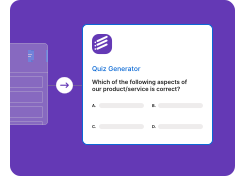
Flip the flashcards and self-test right away on any device, print the study kit with a separate answer key, or export the practice questions to Google Forms as a self-grading quiz to assign.
Every Source, One Study Kit
Lecture slides, textbook chapters, past papers, scanned notes - the AI study guide maker turns any of them into flashcards and practice questions.
Lecture Notes & Slides
Drop in your lecture notes or slide decks and the AI study guide maker pulls out the key concepts. Export PowerPoint to PDF first and your slides become a study kit in seconds.
• PowerPoint via PDF export
• Slide-to-flashcard conversion
• Key concept extraction
• Grouped by topic
• Ready before the exam
Textbook Chapters
Turn dense textbook PDFs into flashcards for memorization and practice questions for self-testing. The AI finds the terms and ideas worth studying and skips the filler.
• Multi-chapter PDFs
• Word and Google Docs
• Concept-anchored cards
• Practice questions from the text
• Skips filler content
Study Guides & Past Papers
Already have a study guide or past papers? Generate fresh practice questions from them so you test recall instead of memorizing the answer pattern.
• Fresh practice questions
• Same topics, new variants
• Answer keys included
• Difficulty control
• Self-test, not re-read
Scanned & Handwritten Notes
Photograph your handwritten notes or scan a printed handout and the built-in OCR reads them, then turns them into flashcards and practice questions - no retyping.
• Built-in OCR
• Scanned PDF support
• Photographed notes
• Image-based files
• No manual retyping
A Study Guide You Can Actually Do
Not another wall of text to reread - flashcards to memorize and practice questions to prove you know it
Flashcards for Memorization
The AI reads your material and writes a clean front and back for every card - term/definition, question/answer, and cloze (fill-in-the-blank) - so you can drill the facts that matter.
• Term / definition cards
• Question / answer cards
• Cloze (fill-the-blank) cards
• Flip, shuffle, self-test
• Edit any card before studying
Practice Questions with Answer Keys
Every study kit comes with practice questions and a marked answer key, so you can check what stuck instead of guessing. Rereading feels productive - answering proves it.
• Auto-generated answer keys
• Written from your material
• Editable before you study
• Print or take online
• Test recall, not recognition
Difficulty Control & Fresh Variants
Set the difficulty from straight recall to applied reasoning, and regenerate fresh variants on the same topics for spaced repetition across the week.
• Easy / medium / hard
• Fresh variants each run
• Same topics, new questions
• Built for spaced repetition
• Regenerate on demand
Self-Grading Quiz or Print
Export your practice questions to Google Forms as a self-grading quiz that scores itself (paid plans), or print the study kit with a separate answer key for offline review.
• Self-grading Google Forms quiz
• Answer keys preserved
• Printable study kit
• Study on any device
• Free to start
Who Uses Our AI Study Guide Maker
Students studying for exams and teachers building review packets use Formswrite every week
For Students & Exam Prep
Stop rereading the same pages. Turn your lecture PDFs and notes into a study kit you can actually do - flashcards to memorize, practice questions to test yourself.
• Study kit in seconds
• Works on scanned notes
• Flashcards + practice questions
• Study on phone or laptop
• No manual card typing
For Teachers
Build a review packet for the unit from the same PDFs you already teach from - flashcards for the vocabulary and a practice quiz for the assessment - and share or assign it in one link.
• Review packets from your material
• Flashcards for vocabulary
• Practice quizzes for assessment
• Export to Google Forms
• K-12 and university
“I used to reread my lecture PDFs the night before and hope it stuck. Now I upload them and get flashcards plus a practice quiz in one go - the quiz is what actually tells me what I do not know yet. My pharmacology grade went up a full letter.”
Priya N.
Nursing Student, Ohio
Stop Rereading. Start Testing Yourself.
Upload your notes and let the AI build the flashcards and practice questions. Free to start, no credit card.
Free to start
No credit card
OCR included
What is an AI study guide maker?
A study guide maker takes the material you already have, whether that is a textbook chapter, lecture slides, or a page of handwritten notes, and turns it into a structured way to review. The Formswrite AI study guide maker reads your upload, extracts the key concepts, and builds two things: flashcards for the terms you need to memorize and practice questions with a marked answer key so you can check what stuck.
Many study guide tools hand you a long summary to reread. Rereading feels productive, but answering a question from memory is what shows you whether you know it. That is why every study kit pairs flashcards with practice questions, and why you can regenerate fresh questions on the same topics through the week.
How to make a study guide in five steps
- Upload your material. Drop in a PDF, PowerPoint exported to PDF, Word doc, Google Doc, or notes. Scanned pages and photographed handwriting work because OCR is built in.
- Choose what you want to study with. Pick flashcards for memorization, practice questions with an answer key for self-testing, or both, and set the difficulty.
- Review the study guide. Read through the cards and questions, fix anything that does not match how your teacher explained it, and delete what you already know.
- Study with active recall. Flip and shuffle the flashcards, then answer the practice questions without looking. Check the answer key and note the gaps.
- Repeat with fresh questions. Regenerate new questions on the same topics a few days later so you test understanding instead of remembering the last set.
What goes into a good study guide
Whether you build it by hand or with AI, a study guide that works usually has these parts. Use the flashcards for the glossary and facts, and the practice questions for everything else.
| Section | What it contains |
|---|---|
| Overview | A short summary of the chapter or lecture in plain language, so you know the big picture before the details. |
| Key concepts | The handful of ideas that matter most, each with a one or two sentence explanation. |
| Glossary | Terms and definitions for the vocabulary you need to recall word for word. These become flashcards. |
| People, dates, formulas | The specific facts worth memorizing, grouped so you can drill them separately. |
| Practice questions | Multiple choice, short answer, and fill-in-the-blank questions written from the source material. |
| Answer key | Correct answers so you can check yourself right after answering, not the night before the exam. |
Match the study guide to your level
The same chapter needs a different study guide for a fifth grader than for a college student. Set the difficulty when you generate, and aim for this balance:
- Elementary: Simple vocabulary, short explanations, and mostly recall questions. Lean on the glossary and flashcards.
- Middle and high school: Longer summaries with a mix of recall and application questions, such as explaining why an event happened.
- AP and college: Conceptual summaries and questions that ask you to apply, compare, and analyze, not only define.
- Licensure and professional exams: Dense terminology and scenario-style practice questions that match how the real exam asks them.
Ways students and teachers use it
- Midterm from textbook chapters: upload the assigned chapters, generate flashcards for the vocabulary and a set of practice questions, and spend the evening answering instead of highlighting.
- Certification and licensure prep: turn a long review PDF into sections of practice questions you can drill on your phone between shifts or classes.
- Board exams and reviewers: students preparing for exams like the LET or civil service exam use the AI reviewer maker workflow to build a reviewer from their notes.
- End-of-unit review packet: teachers upload the unit slides and generate a vocabulary deck plus a practice quiz to hand out before the test.
- Tutoring sessions: tutors turn a student's chapter into ten practice questions to work through together.
From PDF or PowerPoint to study guide
Turning a PDF into a study kit is a single upload. For a slide deck, export your PowerPoint to PDF first (File then Save As PDF) and upload that. Word documents and Google Docs work directly. Want a deck of just cards? Use PDF to flashcards. Need a graded test instead of a review kit? The multiple choice test generator builds an exam with distractors and an answer key.
Free vs paid
You can start free with no credit card. Flashcards and the native Formswrite form are included on the free plan, which covers studying on your own. Paid plans add higher volume and exports of your practice questions to Google Forms and other platforms, which is useful for teachers who want to assign a self-grading quiz.
Study guide maker FAQ
What is a study guide maker?
A study guide maker turns your course material into something you can study with. The Formswrite AI study guide maker reads a PDF, slides, or notes and builds flashcards for the terms you need to memorize and practice questions with an answer key so you can test yourself.
How do I make a study guide from a PDF or my notes?
Upload the PDF, a PowerPoint saved as PDF, a Word doc, a Google Doc, or your notes. Choose flashcards, practice questions, or both, set the difficulty, and generate. Review and edit what the AI created, then study online or print it.
Is the AI study guide maker free?
You can start free with no credit card. Flashcards and the native Formswrite form are available on the free plan. Exporting practice questions to Google Forms or other platforms is part of the paid plans.
Does it work with handwritten or scanned notes?
Yes. Formswrite has built-in OCR, so scanned handouts, image-based PDFs, and photographed handwritten notes are read and turned into flashcards and practice questions without retyping.
What should a good study guide include?
A short overview, the key concepts, a glossary of terms, the specific facts worth memorizing, and practice questions with answers. The practice questions matter most, because answering from memory is what shows you what you actually know.
Can teachers use it to make review packets?
Yes. Upload the unit chapter or slides and generate flashcards for the vocabulary and a practice quiz for the assessment. Everything is editable, and on a paid plan the practice questions export to Google Forms as a self-grading quiz.
What is a reviewer, and can I make one here?
In the Philippines a reviewer is the set of notes and practice questions students use to prepare for exams such as the LET, board exams, or the civil service exam. The same features work for that, and the AI Reviewer Maker page walks through how to build one.
More study tools from Formswrite
Turn any document into flashcards, practice questions, a quiz, or a reviewer.
AI Reviewer Maker
Turn notes into a reviewer for board exams and school tests.
PDF to Flashcards
Turn any PDF into a flashcard deck with built-in OCR.
PDF to MCQ
Turn any PDF into multiple choice questions with answer keys.
AI Quiz Generator
Create practice questions from any text, topic, or notes.
PDF to Quiz
Turn a PDF into a full practice quiz with answer keys.
Multiple Choice Test Generator
Build a multiple choice exam from any topic or document.
Related guides
- Flashcard generator from any document - turn a study guide glossary into a deck.
- How to turn notes into flashcards - what to put on each card.
- How to study with flashcards - active recall and spacing that actually work.
- AI quiz generator from any document - turn practice questions into a graded quiz.
Simple, Transparent Pricing
Start for free. Upgrade anytime.
Yearly
✨ Save 70%
Payment will be processed in USD, EUR, SGD, BRL, JPY, or INR.
Free
Get started free with 5 forms
Free
No credit card required.

5 Formswrite Forms
AI Builder (Fred AI)
10 AI questions per month
Browse Question Bank
Best Value
Pro
Unlimited everything, no limits
$49.99
/yearCancel anytime.
Everything in Free, plus:
Unlimited conversions
All 25+ export formats
Unlimited AI questions
Unlimited AI Lesson Plans
Unlimited AI Rubrics
Unlimited AI Worksheets
Flashcards
Presentation Decks
AI Video Lessons
Audio Lessons
Comics
Podcasts
Formswrite Play (Gamify Quizzes)
YouTube Video to Quiz
Bulk convert
Priority support
Lifetime
Pay once, use forever
$150
one-timeOne-time payment. No recurring fees.
Everything in Pro
Flashcards
Presentation Decks
AI Video Lessons
Audio Lessons
Comics
Podcasts
Formswrite Play (Gamify Quizzes)
YouTube Video to Quiz
One-time payment
Lifetime access to all features
All future updates included
Priority support forever