
Easy Exam Maker
Multiple Choice Test Maker: Generate an Exam from Any Topic or Document
Type a topic, upload the chapter you teach, or paste your question bank, and the exam generator writes multiple choice questions with plausible wrong-answer options and a marked answer. Set the difficulty, shuffle everything, and print it or export it as a gradeable test.
Free to start
No credit card
Answer keys included

41,000+
Teachers & Trainers
3M+
Questions Generated
3
Difficulty Levels
20 sec
Topic to Test Time
How it works?
From topic to a gradeable multiple choice exam in three steps, in under a minute.
Step 1
Pick Your Source
Type a topic, upload a document (Word, PDF, Google Doc - scanned files work too), or paste questions you already have. The test generator starts from whatever you teach with.

Step 2
AI Writes the Exam
The AI writes multiple choice questions with plausible distractors and a marked correct answer - at the difficulty and length you choose. Edit any question before it ships.
Step 3
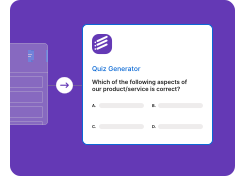
Export and Grade Automatically
Push the exam to Google Forms, Moodle, Canvas, or QTI as an auto-gradeable test - answer keys, point values, and shuffle settings preserved. Or print it with a separate key.
One Exam Generator, Every Starting Point
Start from a topic, your own documents, or the question bank you have been carrying between spreadsheets for years.
From a Topic or Standard
Type the topic you teach - photosynthesis, the French Revolution, fractions - and the exam generator writes a full multiple choice test at your grade level.
• Any subject, K-12 to university
• Grade-level difficulty control
• Four-option format
• Marked correct answer
• Editable before export
From Your Own Documents
Upload the chapter, study guide, or lecture notes you actually teach from. Questions come from your material, not generic trivia.
• Word, PDF, Google Docs
• Scanned files (OCR built in)
• Concept extraction
• Source-anchored questions
• No retyping
From an Existing Question Bank
Paste questions you already have and let the generator format, deduplicate, and rebuild them into a clean multiple choice exam.
• Paste from anywhere
• Aiken and plain text
• Auto formatting
• Answer key detection
• Shuffle-ready output
Practice and Mock Exams
Generate fresh practice exams on the same topics so students can retake without memorizing the answer pattern.
• Fresh variants each run
• Same topics, new questions
• Mixed difficulty sets
• Exam-style wording
• Regenerate on demand
Built for Real Exams, Not Trivia
Everything you need to turn a topic into a multiple choice test that actually challenges students
Smart Distractor Generation
The hardest part of writing a multiple choice exam is the wrong answers. The AI writes plausible, non-obvious distractors so questions test understanding, not guessing.
• Plausible wrong options
• No giveaway answers
• Concept-based distractors
• Configurable option count
• Balanced answer placement
Answer Keys and Difficulty Levels
Every exam comes with the correct answers marked and adjustable difficulty - from straight recall to applied reasoning.
• Auto answer keys
• Easy / medium / hard
• Point values
• Explanations (optional)
• Editable before export
Shuffle and Anti-Cheat Options
Shuffle question order and answer options per student, so neighboring screens never match.
• Question shuffling
• Option shuffling
• Multiple versions
• Required-question flags
• Works with timed mode
Export as a Gradeable Test
Send your multiple choice exam to Google Forms, Moodle, Canvas, or QTI as an auto-gradeable test - answer keys preserved.
• Google Forms
• Moodle / Canvas / QTI
• Auto-grading ready
• Printable version
• 20+ export targets
Who Uses Our Multiple Choice Test Generator
Teachers, trainers, and exam-prep tutors generate multiple choice exams with Formswrite every week
For Teachers
Build the unit test, the pop quiz, and the retake version in the time it used to take to format one question.
• Unit tests and exams
• Auto distractors
• LMS-ready exports
• Question banks
• K-12 and university
For Trainers and Exam Prep
Generate certification-style multiple choice exams from your training material and give every cohort a fresh version.
• Certification-style items
• Fresh questions each time
• Corporate training decks
• Compliance quizzes
• Track results anywhere
“I used to spend Sunday afternoons writing unit tests. Now I upload the chapter, pick 25 questions at medium difficulty, shuffle, and export to Google Forms - the whole thing grades itself on Monday.”
Sarah Whitfield
8th Grade Science Teacher, Ohio
Stop Writing Exams by Hand
Type the topic, get the test - questions, tricky wrong answers, and the answer key. Free to start.
Free to start
No credit card
Answer keys included
Easy exam maker for teachers
Formswrite is an easy exam maker and multiple choice test maker for teachers, trainers, and exam-prep tutors. Give it a topic, a document, or an existing question bank and the AI writes a complete multiple choice exam, each question with plausible answer options and a marked correct answer, ready to use or edit. Here is the process that produces a fair test with the least effort:
- Write a one-line test blueprint. List the topics the exam covers and how many questions each gets, for example "Cells 8, Genetics 8, Evolution 4". This keeps the test balanced before any question is written.
- Choose the source. Type the topics, upload the chapters or notes you taught from, or paste an existing question bank. Questions from your own material match what students were actually taught.
- Set length, difficulty, and options. Pick the number of questions, the mix of easy, medium, and hard, and how many answer options each question should have.
- Generate and review every item. Read each question and its distractors. Check that exactly one answer is correct, that the wrong answers are plausible, and that the stem makes sense without reading the options.
- Make versions and shuffle. Turn on question and option shuffling, or generate a second version on the same blueprint for a makeup or retake exam.
- Deliver and grade. Share it as a Formswrite form, export it on a paid plan to Google Forms, Moodle, Canvas, or QTI as a self-grading test, or print it with a separate answer key and a bubble sheet.
Example of a well-built multiple choice question
Which organelle is the main site of cellular respiration?
A. Ribosome
B. Mitochondrion
C. Golgi apparatus
D. Chloroplast
Answer: B
The stem is a complete question you could answer without seeing the options, there is exactly one correct answer, and every distractor is a real organelle a confused student might pick. That is the standard to check each generated item against.
Rules for writing multiple choice questions that measure learning
- Put the problem in the stem. Options should be short and parallel.
- Avoid negatives like “which is NOT” unless you bold them, and never use double negatives.
- Skip “all of the above” and “none of the above”; they reward test-taking tricks.
- Keep options similar in length so the longest one is not a giveaway.
- Spread correct answers across A, B, C, and D, or let shuffling do it.
- Include some questions that ask students to apply an idea to a new situation, not only recall it.
An exam generator that starts from your material
Unlike generic exam makers that pull from trivia banks, Formswrite builds the test from what you actually teach. Upload the textbook chapter as a PDF and get MCQs, paste your lecture notes, or convert a Word doc into a Google Form directly. Scanned handouts work too, because OCR is built in.
From generated exam to graded results
On a paid plan, export the finished multiple choice test to Google Forms, Moodle, Canvas, Blackboard, Schoology, Brightspace, QTI, and other platforms as an auto-gradeable test with answer keys and point values preserved. Running it on paper instead? Print the exam with a separate key, hand out a bubble sheet, and score it with the free quiz grader.
Free vs paid
You can start free with no credit card, generate exams, and share them as a Formswrite form. Paid plans add higher volume and exports to Google Forms, LMS platforms, and standard formats like QTI and Aiken.
Exam maker FAQ
What is the easiest way to make an exam?
Start with a short blueprint of topics and question counts, then let an exam maker write the first draft. With Formswrite you type the topics or upload your teaching material, choose the number of questions and difficulty, and review the generated multiple choice test before sharing or printing it.
How many questions should a multiple choice test have?
It depends on time and purpose. A quick check might have 5 to 10 questions, while a unit test often has 20 to 40. Plan roughly one minute per recall question and more for questions that ask students to apply or analyze, and make sure every topic in your blueprint gets enough items to show real understanding.
How do I write good wrong answers for multiple choice questions?
Use distractors based on real misconceptions, keep all options similar in length and grammar, avoid "all of the above" and "none of the above", and make sure only one option is defensibly correct. The AI writes plausible distractors for you, and you can edit any of them.
Is the multiple choice test maker free?
You can start free with no credit card, generate exams, and share them as a Formswrite form. Exporting the test to Google Forms, Moodle, Canvas, QTI, and other platforms is part of the paid plans.
Can I make different versions of the same test?
Yes. Shuffle question order and answer options, or generate fresh questions on the same topics for a makeup or retake version, so students cannot share an answer pattern.
Can students take the test online with a timer?
Yes. Export the exam to Google Forms and use Formswrite Proctor to run it as a timed test, or export to your LMS such as Moodle or Canvas and use its built-in quiz timing settings.
Can I print the multiple choice test instead?
Yes. Print the exam with a separate answer key, hand out a bubble sheet, and score the papers with the free quiz grader calculator.
More free tools from Formswrite
Turn any document into an exam, a quiz, flashcards, or a form - then export it anywhere.
PDF to MCQ
Turn any PDF into multiple choice questions with answer keys.
AI Quiz Generator
Create questions from any text, topic, or notes.
Google Form Quiz Maker
Generate a Google Forms quiz with answer keys.
Bubble Sheet Generator
Print answer sheets for a paper multiple choice test.
Quiz Grader
Free easy-grader calculator for scoring paper quizzes.
Aiken Format Converter
Send multiple choice questions to Moodle as an Aiken file.
Related guides
- How to make an exam in Google Forms - exam settings, timing, and grading.
- How to create a Google Form exam, step by step - from blank form to released scores.
- How to create multiple choice questions in Google Forms - question setup and answer keys.
- Bonus questions for exams - when and how to add extra credit items.
Simple, Transparent Pricing
Start for free. Upgrade anytime.
Yearly
✨ Save 70%
Payment will be processed in USD, EUR, SGD, BRL, JPY, or INR.
Free
Get started free with 5 forms
Free
No credit card required.

5 Formswrite Forms
AI Builder (Fred AI)
10 AI questions per month
Browse Question Bank
Best Value
Pro
Unlimited everything, no limits
$49.99
/yearCancel anytime.
Everything in Free, plus:
Unlimited conversions
All 25+ export formats
Unlimited AI questions
Unlimited AI Lesson Plans
Unlimited AI Rubrics
Unlimited AI Worksheets
Flashcards
Presentation Decks
AI Video Lessons
Audio Lessons
Comics
Podcasts
Formswrite Play (Gamify Quizzes)
YouTube Video to Quiz
Bulk convert
Priority support
Lifetime
Pay once, use forever
$150
one-timeOne-time payment. No recurring fees.
Everything in Pro
Flashcards
Presentation Decks
AI Video Lessons
Audio Lessons
Comics
Podcasts
Formswrite Play (Gamify Quizzes)
YouTube Video to Quiz
One-time payment
Lifetime access to all features
All future updates included
Priority support forever